

MCP, or model context protocol, has become an omnipresence in 2026. Every software tool worth its salt has shipped one, every product guru has an opinion on one, and there’s probably a conversation buried under a zillion channels in your Slack where someone asked: hmm, should we get one of these?
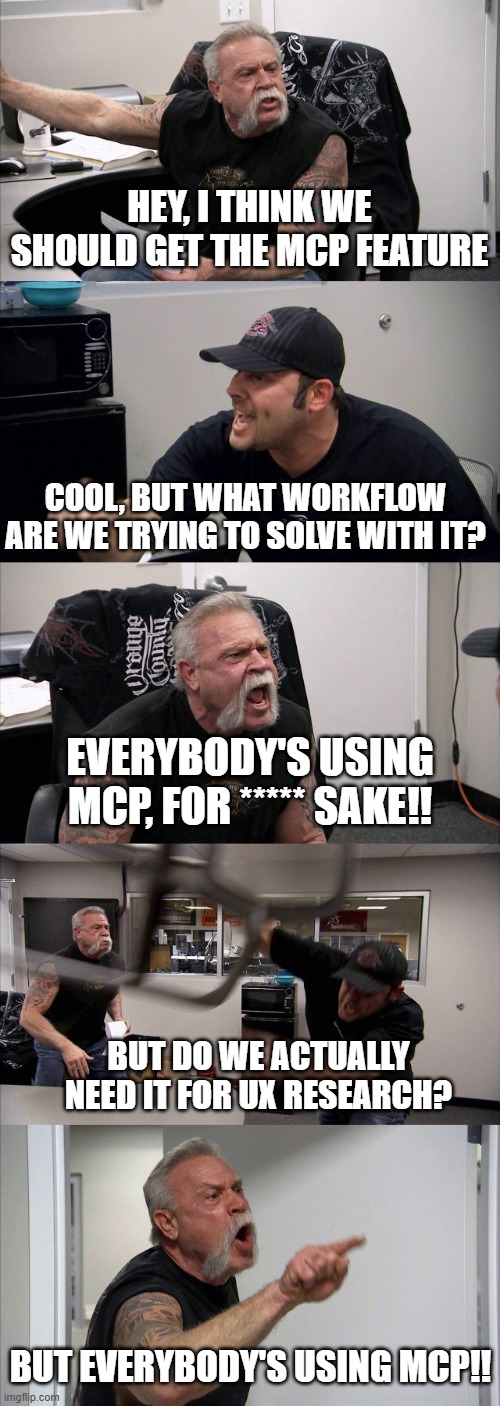
That’s the wrong way to make this decision, not because MCP is bad (it’s genuinely great). It’s because “everyone else has one” is not the right reason to connect your research repository to an AI model.
Unless you have a specific, recurring workflow that’s currently draining your productivity and costing you real time in manual handoffs between tools, an MCP connection is going to be yet another new tool with new risk and no clear payoff.
This isn’t your average “what’s an MCP” guide—there are plenty of those out there. This guide is for what happens after you’ve decided you’re interested. We’ve divided this guide into three major sections:
- How to figure out if you actually need an MCP
- To-dos before you have the InfoSec conversation
- Guardrails you need once stakeholders start querying your research directly
Let’s get right into it ✨
Part I: Do you actually need an MCP?
A simple, less abstract version of this question would be: is there a real, repeating workflow here, or are you chasing the hype?
Run this quick four-step diagnostic before you talk to anyone else about it:
Step 1: Pick one task you do on repeat
Take an actual task, one you’ve done at least a hundred times this month. Example: Let’s say once a research session ends, you need to get a field-notes summary out to stakeholders.
Note: Pick your own version of this before you continue reading. This exercise only works if it’s a task you actually recognize.
Step 2: Map the task end-to-end, naming the tool at each step
Scribble down the entire chain, tool by tool. Reiterating the previous example, it might look something like this:
Recording tool → Transcription tool → Tagging inside your repository → Pulling the relevant quotes → Drafting the summary in a document → Posting on Slack / Emailing to stakeholders
While it looks so obvious once it’s on paper, most researchers have never actually written this out. But it’s this obviousness that makes the next step a cakewalk.
Step 3: Count how much information moves manually between those tools
Count the number of manual hand-off instances, e.g., every time you copy something from one tool and paste it into another (exports, transcripts, etc.)
If your task barely leaves one tool, you probably don’t need an MCP yet. But if it has a lot of up-and-down movement between tools, that’s the exact friction MCP solves, the AI reaches into the tool and grabs what it needs, instead of you doing it manually each time.
Going back to the field-notes example, we have: transcription export, manual tagging, a separate pass to pull quotes, drafting the summary in a doc, and then posting it. That’s five manual hand-offs for a single session. Multiply that by the number of sessions you’re running in a month. That number is the strongest indicator for making the case for an MCP.
Step 4: Ask what data leaves the building (once you know if you need it)
Most people skip this step, and it’s the one that gets projects stuck later. Once you’ve confirmed that you have a real use case, the very next question is: what exactly gets exposed through this connection, and should it be exposed?
Knowing why you need an MCP and knowing what it touches are two sides of the same coin, and answering both at the same time makes the conversation with InfoSec useful.
Here’s a quick checklist for your reference:
Part II: Things to have before the InfoSec conversation
With the audit in the bag and a real use case in hand, it’s time to get InfoSec to sign off:
Settle security, compliance, and organizational policy first
Get answers to the following questions before you become attached to the idea:
- Is MCP secure?
- Is it compliant with your organization’s data policies?
- Does your organization formally permit MCP yet?
MCP connects an AI model directly to your internal tools and data, no default human in the loop. This directness is exactly what makes security teams nervous, and for good reason: prompt injection through malicious tool descriptions, authentication gaps, “rogue MCP servers” masquerading as legitimate ones.
For instance: A poorly-vetted MCP server can bury instructions inside what looks like ordinary tool output that the AI model reads as a command rather than as data. That’s a prompt injection attack—exactly why your InfoSec team will want to know who built the MCP server on the other end, and whether that can be verified.
Find out the actual policy before you build a case for anything.
Re-verify if you have a real use case
Nobody warns you about this: during the approval conversation, you’re more likely to be asked something like, “Do you need this for read access, write access, or both?”
If you can’t answer this cleanly, the conversation stalls right there. So loop back to your audit, and ensure that the third step turns up a genuinely high-friction, recurring workflow for you to make a strong case. Know your answer before you walk in.
Scope deliberately: read, write, or both
This changes how you think about scoping: performance actually degrades as you add more tools to a single connection—and the threshold is lower than most people estimate.
The most-cited number in current MCP engineering discussion puts the real cliff at around 40 tools on frontier models, past which tool-selection accuracy falls off noticeably, and agents start picking the wrong tool for the job. Cursor enforces a hard cap of 40 tools exactly for this reason.
Every tool you expose—its name, description, parameter schema—sits in the model’s context window before your actual question even arrives, and a handful of connected servers can consume over half that budget before a single message is processed.
This number matters for how you scope your own request. It’s one of the rare cases where the security vs. performance argument point towards the same direction instead of pulling against each other. A narrower scope here means both a safer and better-performing connection, which makes this an unusually easy case to make internally.
Practical tip: For the specific workflow you mapped during the audit, write down explicitly whether it needs read access, write access, or both; and default to the narrowest option that still does the job. You can always expand the scope later, once you’ve proven the workflow.
Trial with dummy data before processing actual data
Treat this process as a phased rollout:
- Trial and error with dummy data first. Nothing real touches the connection yet
- Dogfood it internally, within your own team, before anyone else sees it
- Configure your quality bar. Decide what “good enough to trust” looks like before you move on
- Gate the access. Don’t open it to anyone until it clears your quality bar.
- Release it only when you’re confident that it can’t be misused
Sharing this with stakeholders is phase two, and skipping straight to “let’s just try and see what happens” is how these projects end up in front of InfoSec for the wrong reasons.
The most important caveat: does the LLM train on your data?
People are often confused about this: your MCP connection doesn’t automatically carry over consent for how your data gets used. You have to check the LLM provider’s own data-use terms: whatever agreement you have (or don’t have) with whoever’s on the other end of that connection.
So check directly: does your organization’s existing compliance agreement with your research tool extend to whichever LLM you’re connecting it to? If it doesn’t, that needs a separate approval conversation, and possibly a separate contract—not something the MCP connection itself resolves for you. Don’t assume coverage carries over just because both tools have been individually approved. The clearance question gets closed once you answer that.
Part III: Guardrails for when stakeholders start querying your research
Alright, the connection is live, it’s scoped minutely and has cleared InfoSec. Now comes the final question: what happens once non-research folks start asking questions directly?
Here are a few guardrails to set in place before you advocate MCP usage:
Never expose raw data
The AI should never have direct access to raw transcripts or unprocessed session recordings through this connection.
The reasoning matters more than the rule: it keeps the participant voice intact and stops a stakeholder from cherry-picking a single dramatic quote out of context to support what they already wanted to believe. It’s not about withholding information, rather about protecting the integrity of what the data actually means.
Ensure permission scoping mirrors your file permissions
The access restrictions that exist on PII and privileged material in your actual file system must carry over exactly through the MCP connection. And before you roll it out, try to query something you shouldn’t have access to and confirm it’s blocked. Treat this meticulously, like a security review.
Build an agent that intercepts questions before they hit the repository
It’s worth building this properly rather than skipping, because it solves a crucial bottleneck: stakeholders often phrase questions imprecisely because they aren’t as well-versed with research terminology as researchers. A classic example would be: someone asks about “customers”, when they actually mean “shoppers”, and those aren’t the same population in your data. If that question goes straight to your repository, you get an answer to the wrong question: delivered with total confidence.
The fix is building an intercepting layer—an agent or skill that rewrites the query before it ever reaches your data. It’s worth building this to do three distinct jobs:
Query precision
Catch terminology conflation before it becomes a wrong answer. Rewrite “customers” to “shoppers” (or flag the ambiguity back to the person asking) before the query runs.
Mandatory framing
Require at least two of three key inputs before an analysis is allowed to run at all: a hypothesis, a research question, or a success criteria. Forcing the question to be well-formed up front does more to prevent bad conclusions than any amount of post-query fact-checking. Default the underlying analysis to pull from primary themes rather than individual quotes, so one loud data point doesn't get mistaken for a pattern.
Response structure and citations
Every answer that returns should follow a consistent, templated structure that includes exactly where the claim is sourced from. This keeps the whole system auditable: if a stakeholder acts on something the AI told them, you should be able to trace that claim back to real data. An answer that can’t point to its source shouldn’t be presented with the same confidence as one that can.
Here’s an example of how it looks like in practice:
A stakeholder types: “What do customers think about the new checkout flow?”
But your last three studies were run with people who abandoned carts before completing checkout (prospective shoppers, not existing customers). An intercepting agent catches that mismatch, and either rewrites the query to “shoppers who abandoned checkout”, or flags the ambiguity back to the stakeholder before running anything.
Without that layer, the query runs as written, pulls from the wrong population, and comes back with an answer that sounds authoritative and is quietly wrong.
Score each answer before shipping
Most people reading AI-generated answers have less formal training in statistical significance. Which means the system has to make the judgment call on their behalf.
A finding based on a single participant needs to be flagged as directional (or filtered out of the response entirely), rather than returned with the same apparent confidence as a well-supported theme backed by a dozen sessions. This small technical detail has a large practical effect: it’s the difference between treating a one-off comment as a signal vs. treating it correctly as a hypothesis worth testing further.
Tag the responsible researcher in every automated response
Every automated answer should notify the researcher whose work it’s drawing from, as the last line of defense. Because the person who ran that study is the one who’ll notice if the system stretched a finding past what the data actually supports, or pulled a quote out of the context that made it true.
Each guardrail above this could still let something questionable through: query interception might miss an edge case, confidence scoring could misjudge a borderline finding. Tagging the researcher brings a human who actually knows the data to correct the record before a wrong conclusion spreads through the rest of the organization.
To sum it all up…
It was never really a question about whether MCP is good. The actual question was always focussed: does this specific workflow earn the complexity, and can you answer the scope, consent, and guardrail questions before you turn on the MCP?
A simple standard you can hold on to going forward: an MCP connection you can defend in an audit—one you can explain in a single sentence—is worth having.
Treat this as a decision you can revisit, not a one-time gate. Scope can expand once a narrow connection proves itself. Guardrails could tighten once you see where stakeholders actually push. The teams that get the most value out of MCP long-term are the ones who built something narrow enough to trust, and then earned the right to expand it.
Your peers also ask
Do I actually need an MCP as a UX researcher?
You need an MCP only if you can point to a specific, recurring workflow with heavy manual hand-offs between tools. If you can't name that workflow concretely, run the four-step audit above first.
Is MCP secure enough for sensitive research data?
It can be, but it isn't automatically. Security depends entirely on how narrowly you scope the connection, whether permissions actually mirror your existing file access controls, and whether your org has cleared it through InfoSec first.
Does connecting an LLM through MCP mean my data trains the model?
Not automatically, but you have to check. Consent for how your data gets used typically doesn't travel through the MCP connection itself. It's governed separately by your agreement with whichever LLM provider you're connecting to. Confirm this explicitly before you consider the approval process finished.
How many tools should I connect through one MCP server?
Tool-selection accuracy on frontier models tends to degrade meaningfully past roughly 40 tools in a single context, and some platforms (Cursor, for one) enforce a hard cap at exactly that number. Scope to what the specific workflow needs (read, write, or both) and nothing more.
What guardrails do I need before letting stakeholders query research directly?
At minimum: no raw data exposure, permission scoping that mirrors your file system (tested, not assumed), a query-interception layer that catches imprecise questions and enforces citations, confidence scoring on small-sample findings, and researcher tagging on every automated response so a human can catch what slips through.
Do I need to build all of these guardrails from scratch?
No, you can use purpose-built skills for this.
What's the difference between read and write access for a research MCP?
Read access lets the AI query and retrieve existing research (studies, transcripts, insights, highlights, etc.). Write access lets it take actions back into your repository: creating screener surveys, launching studies, adding candidates, etc. Most research-specific workflows only need read access; write access should be a deliberate, separately-justified decision, not a default.
What happens if a stakeholder acts on a wrong answer from the connected AI?
This is why guardrails are a must. Citations tied to every response mean you can trace back what the claim was actually based on. Researcher tagging means the person who owns that research gets notified and can correct the record before the wrong conclusion spreads further.





.svg)


