Panel Management

Your participants, and everything
they've already told you.

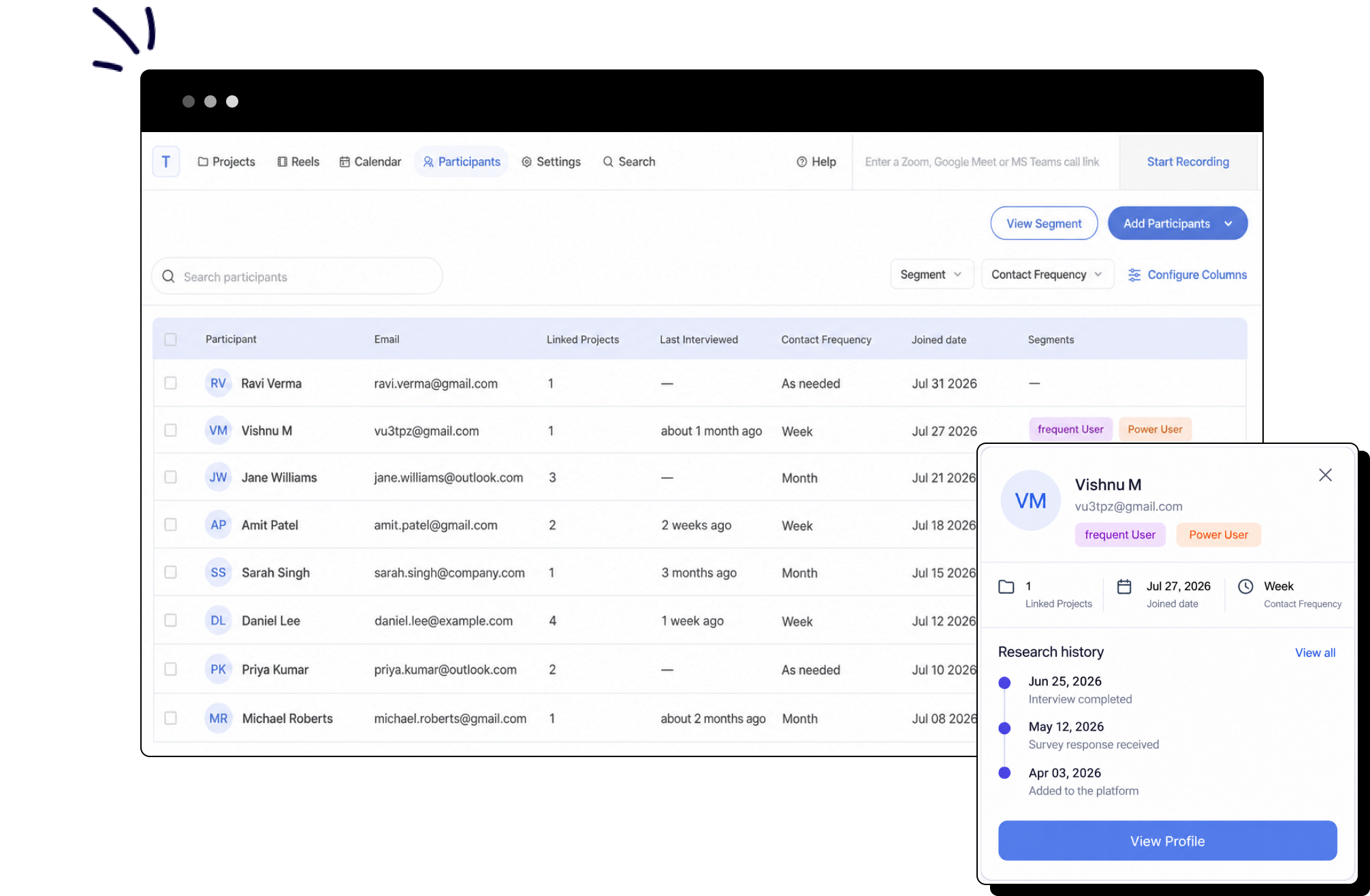
Build a participant database inside Looppanel, where every profile carries the studies, sessions, reels that they were a part of. Finding the right person for the next study becomes a search, not a spreadsheet hunt.

Looppanel participants table listing participants with linked projects, contact frequency and segments, with a participant profile panel open
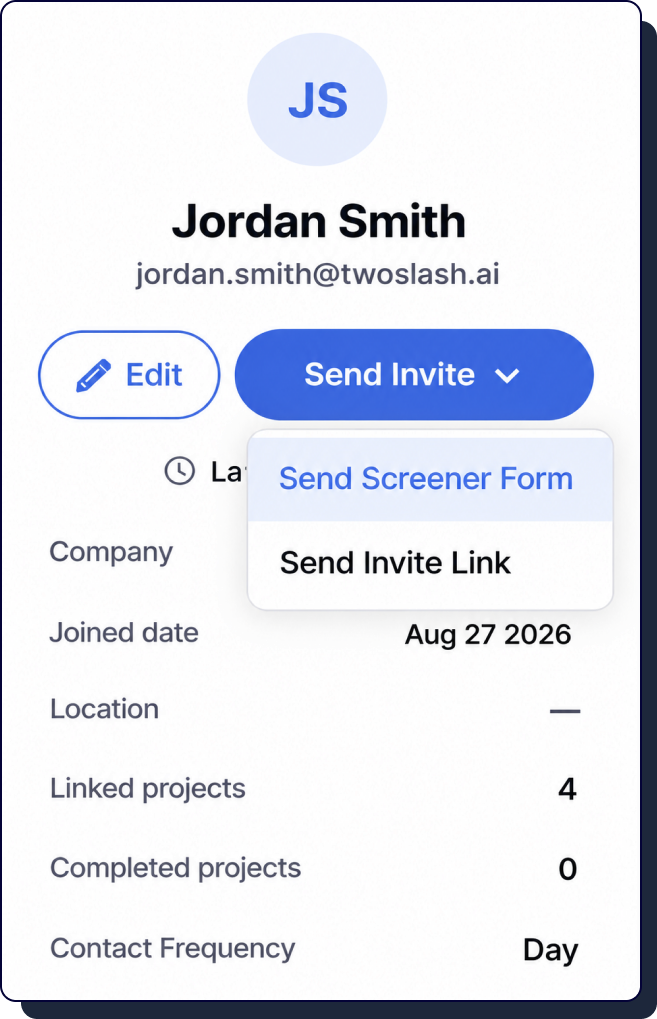
Participant profile card showing linked projects, joined date, location and contact frequency

A panel that remembers the conversation

Add people the way you already have them
Add participants manually, import a CSV, or share the opt-in link with anyone who wants to join the panel.
Linked and completed projects on every profile
Interviews are tagged to the participant automatically through our connected calendar, so the history builds itself as your team runs research.
Contact frequency you set per person
Day, week, month, or as needed. The cap lives on the profile so nobody on your team over-asks the same participant.
Notes and consent on the record
Add notes about how a participant behaves in sessions, and keep their signed consent attached to the profile rather than in a folder somewhere.

Screen, qualify, and schedule without leaving Looppanel

Automatic or manual qualification
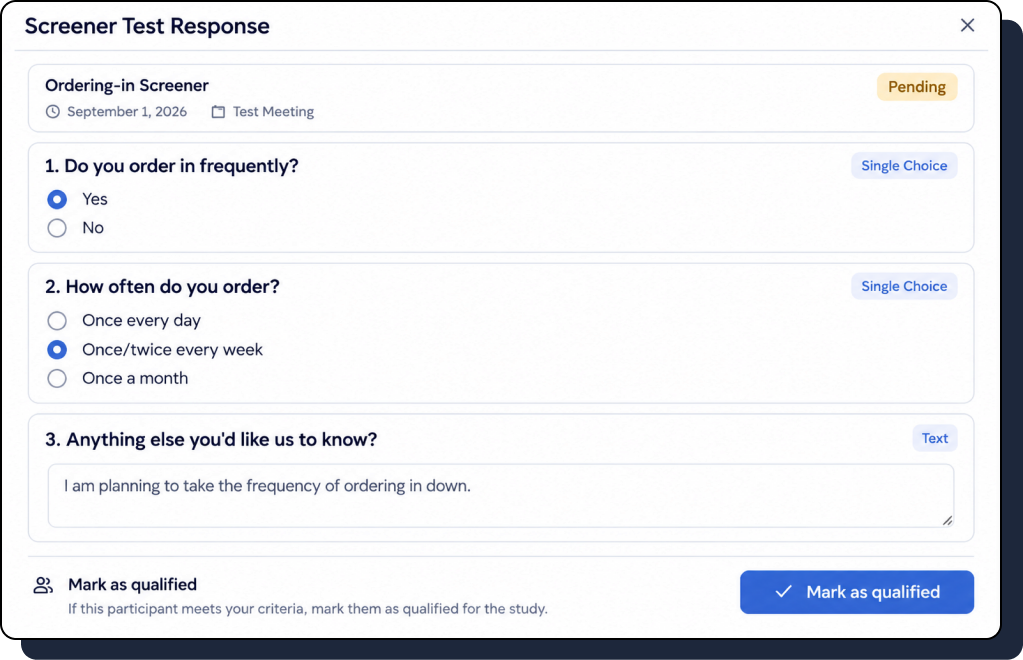
Mark the answers that qualify someone and let the screener sort itself, or review each response and mark them qualified or disqualified by hand.
Qualified participants join the panel
Anyone who qualifies moves into your participant list, ready to be sent a scheduling link for the interview.
Disqualified doesn't mean gone
Someone who wasn't right for this study stays in the panel with their answers on record, so you can invite them to the next one.
Screener test response showing participant answers with a mark as qualified action
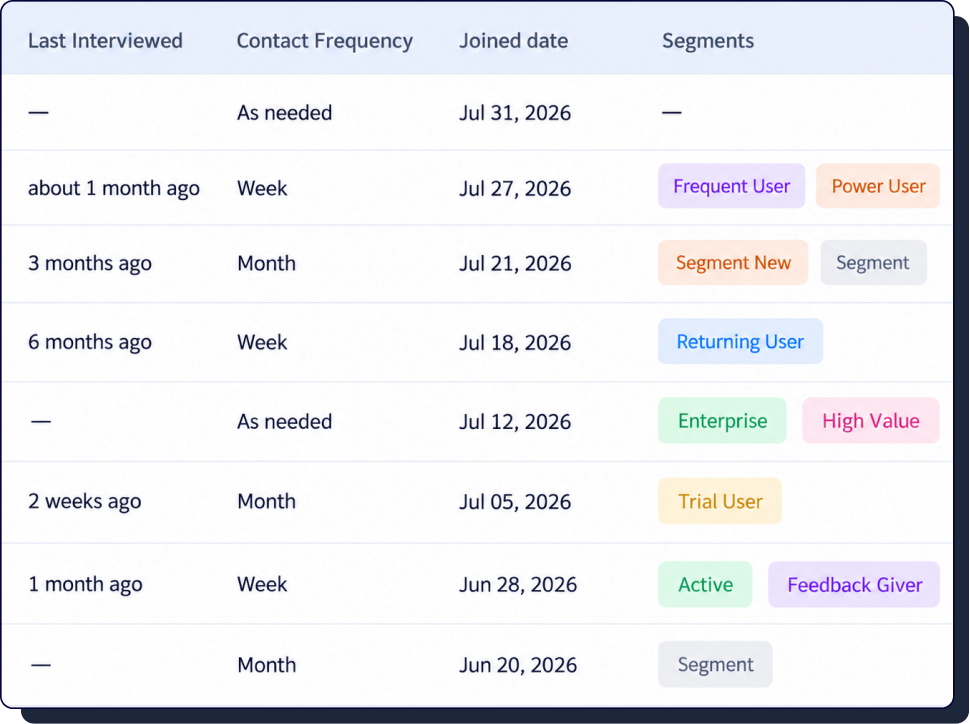
Panel table showing contact frequency, joined date and segment labels for each participant

Group the panel once, use it every study

Create a segment from any selection
Filter the panel, select the people you want, and save them as a new segment or add them to an existing one.
Filter by segment or contact frequency
Narrow the panel to the audience you need before you invite anyone, including by how often each person can be contacted.
Show only the columns you care about
Configure the table per team. Research ops and a PM don't need the same view of the same panel.
Two certification badges: AICPA SOC and GDPR with a lock icon surrounded by stars.

Enterprise-grade security.

Looppanel meets the highest data security standards with SOC2 Type II and GDPR compliance, ensuring your research data remains protected at all times.

Frequently Asked Questions

Is this a replacement for a recruitment marketplace?

No. Panel management is for people you already have a relationship with — customers, users, past participants. External recruitment stays separate.

How do participants get into the panel?

Add them manually, import a CSV, or share an opt-in link. Anyone who qualifies through a screener joins the panel automatically.

Does the panel sit inside a project?

It sits at org level. A participant added during one project is available to every project and every team in your workspace.

Can I stop the same people being contacted repeatedly?

Yes. Set a contact frequency on each participant and filter the panel by it before you invite anyone.

Can I control who sees participant details?

Panel access follows your existing Looppanel permissions, and PII can be redacted from transcripts before anything leaves the workspace.

What does the beta cost?

Nothing during the beta period for teams on an existing plan. Pricing for general availability will be shared before it ships.

Stop rebuilding your panel every quarter

By clicking “Accept All Cookies”, you agree to the storing of cookies on your device to enhance site navigation, analyze site usage, and assist in our marketing efforts. View our Privacy Policy for more information.