
UX Research Note-Taking Template: Free Discussion Guide for UX Researchers
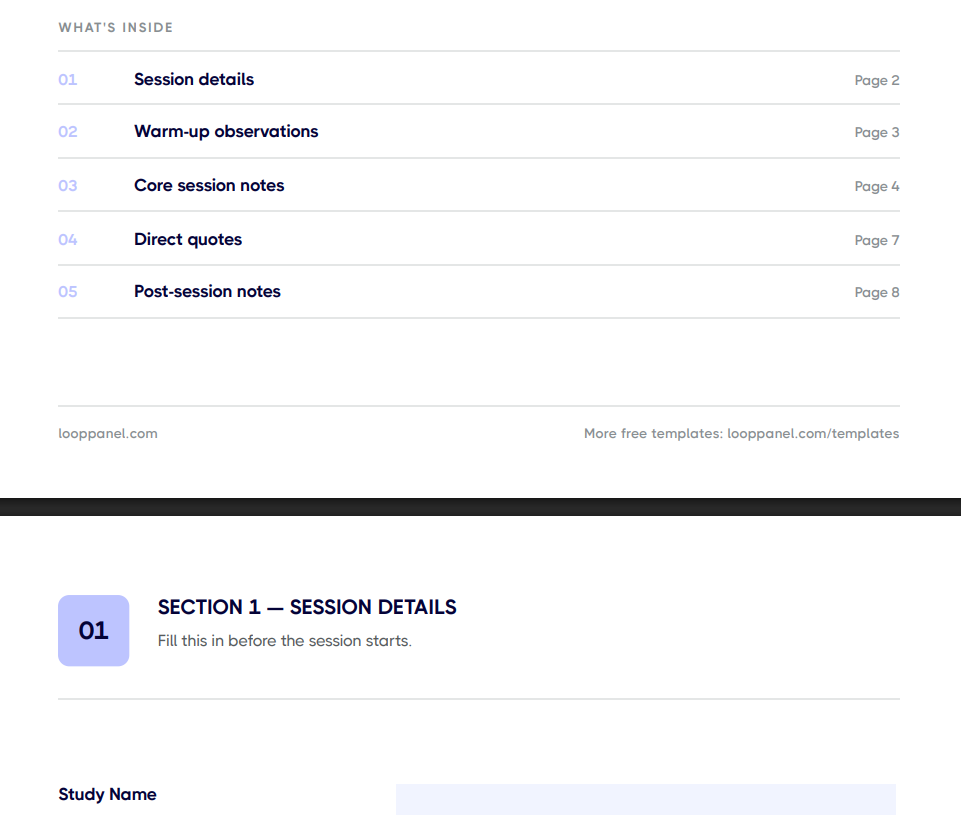
Capture notes you can actually use later with the free UX research note-taking template in Looppanel, built for UX researchers and note-takers. It gives you fields for observations, quotes, surprises, and a post-session synthesis block, that make sessions easy to compare.






Frequently Asked Questions
What should a UX research note-taking template include?
A UX research note-taking template should include a session header with participant details and study context, a warm-up section for early observations, space for notes during core questions, a section for direct quotes, a surprises field, and a post-session synthesis block to capture key themes while the session is still fresh.
How do you take notes during a user interview without missing anything?
Record the session and use a structured template to capture lightweight shorthand notes rather than full sentences. Focus on timestamps, direct quotes, and standout moments. After the session, use the recording to fill gaps. Looppanel auto-transcribes recordings so you can search the full conversation instead of relying solely on your in-session notes.
Should you take notes during a user interview or rely on the recording?
Both. In-session notes capture your immediate observations and reactions that may not be obvious from a transcript alone. The recording ensures you have a verbatim record to verify quotes and fill gaps. Using both together gives you the fastest path to reliable insights.
How do you organize UX research notes after a session?
Start with a post-session synthesis block within 10 minutes of the session ending. Note the top three observations, the best quote, any surprises, and sentiment. Tag themes across your notes before moving to the next session. Doing this session-by-session rather than batching at the end makes synthesis significantly faster.
How many observers should take notes in a user interview?
Ideally one dedicated note-taker separate from the interviewer. Having the interviewer double as a note-taker splits attention and affects the quality of follow-up questions. If a second person is not available, rely on a recording and template-based shorthand notes, then fill in details afterward.
Can Looppanel replace manual note-taking?
Looppanel auto-transcribes sessions and lets you tag themes with the help of AI, which replaces the most time-consuming parts of manual note-taking. You still benefit from lightweight in-session notes to capture immediate reactions and observations that the transcript alone may not convey.
Should UX research sessions be recorded?
Yes, whenever participants consent to it. Recordings give you exact quotes, let you catch moments your notes missed, and let you share clips with stakeholders who were not in the session. Also with Looppanel Notetaker, you can bookmark important moments followed by AI notes pulled for your note-taking guide.
Stay in the loop
Get the latest news and jobs in UX, in your inbox every two weeks.

.svg)


